Below the Surface
By Katia Gil Guzman (OpenAI) (@OpenAIDevs). Model: GPT-6 Astra. Posted date unknown. Original post: https://developers.openai.com/showcase/below-the-surface
Build a complete, polished, interactive landing page. Use clear, natural copy and a restrained layout with purposeful controls. Keep native scrolling, support phone and desktop layouts, keyboard controls, and reduced motion. The main interaction should work without a runtime AI call or account.

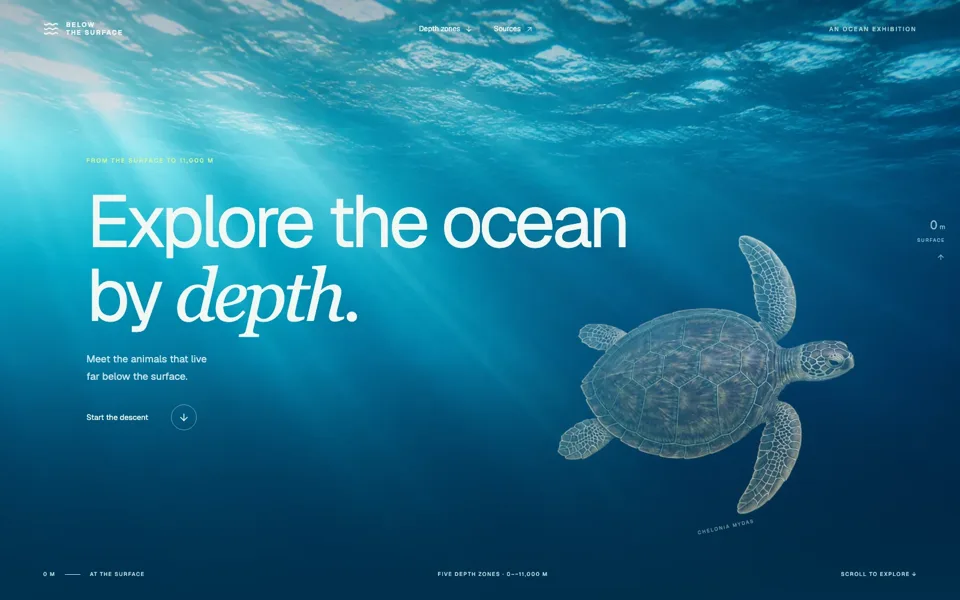
Scenario: Below the Surface is a digital ocean exhibition. A visitor scrolls from the sunlit surface into the deep sea, discovering how light, pressure and animals change with depth. This should demonstrate immersive visual storytelling and clear scientific explanation.

Art direction: a bright atmospheric surface that becomes saturated blue, then near-black; large, carefully composed marine illustrations or 3D specimens, restrained luminous accents, and confident typography with generous negative space. Avoid a science-dashboard layout. The ocean itself is the page.

Hero: “Explore the ocean by depth.” “Start the descent” leads into one continuous scroll journey. Use parallax among water layers, marine snow and specimens, and a compact depth indicator that helps orient the visitor. Native scrolling must remain natural, with reversible changes in depth, light and content.

Choose four or five evidence-based depth zones and a small set of accurately placed animals. Research the key depth/size facts in reliable scientific or museum sources and keep citations accessible through a compact sources section. Do not invent research findings, exact species ranges or live sensor data.

At selected depths, visitors can inspect a specimen without leaving the scene: gently rotate it, switch bioluminescence on/off where biologically appropriate, or reveal a simple annotated cutaway. Clearly distinguish an explanatory light control from a claim that every animal glows. Add a “Compare sizes” view where the same scale is applied to the specimen and a diver or research submersible, with a visible scale reference.

At the deepest chapter, a controlled light beam can be moved with pointer/touch or keyboard to reveal details in a bounded part of the scene. Provide an equivalent “Light the scene” control so the interaction never blocks reading. The final action returns to the surface and leaves an elegant summary of the depth zones.

Use accurate silhouettes and anatomy; generate or model assets deliberately and retain sources. Keep particles and displacement performant, pause offscreen simulation, and provide a beautiful reduced-motion version. Test rapid forward/back scrolling, detail open/close, depth synchronization, scale comparisons, touch and recovery to the surface. The result should be an engaging exhibition landing page with science visitors can trust.